Your inbox, like github.com/pulls
Needs your review, your drafts, waiting for checks, needs action, ready to merge: the Inbox sorts your pull requests the way GitHub does.
 Live Tabs
Live Tabs keeps your GitHub pull requests up to date in the browser's side panel, so the next review is one glance away, not a search.
For Chrome, Brave and other Chromium browsers.
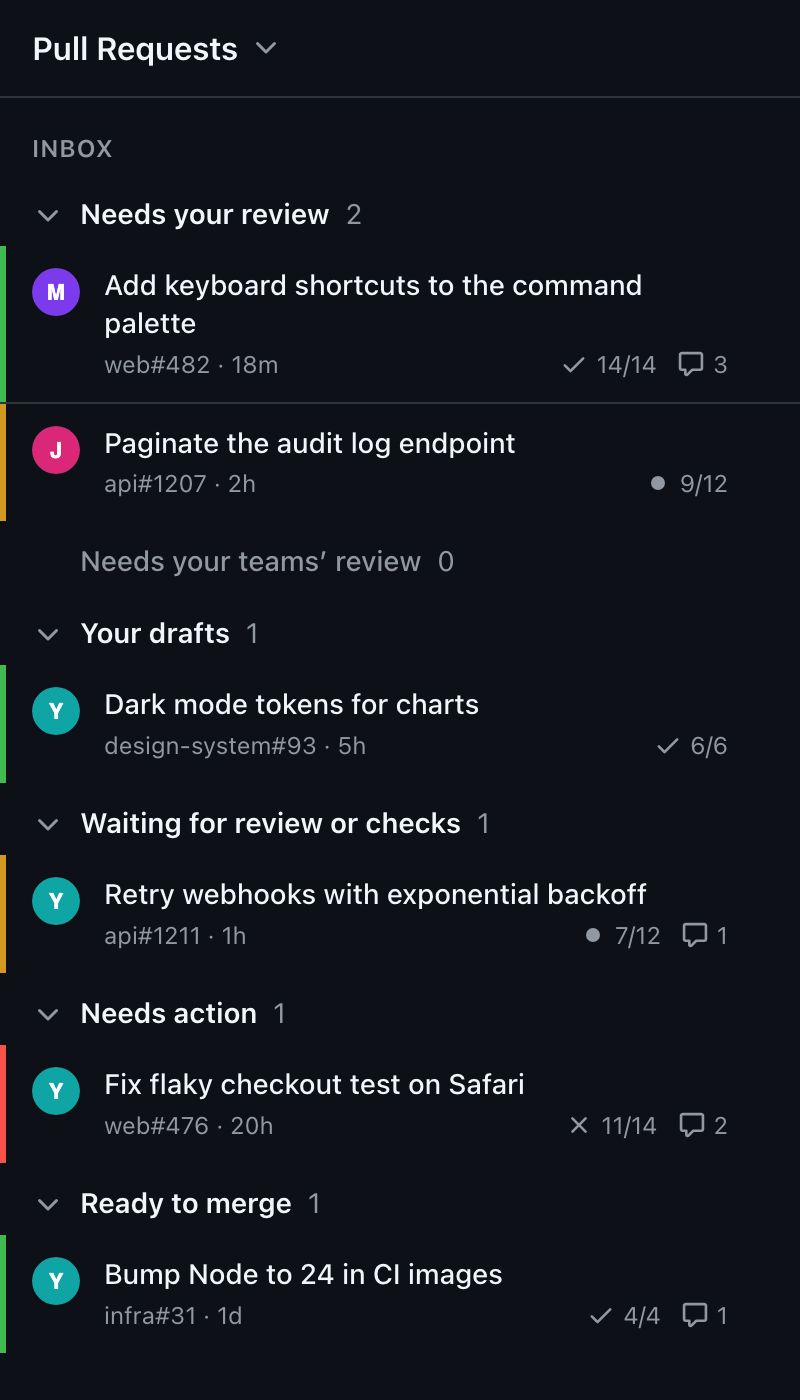
Needs your review, your drafts, waiting for checks, needs action, ready to merge: the Inbox sorts your pull requests the way GitHub does.
A green, amber or red edge on every row, plus checks, comments and age. Spot what is failing without opening a tab.
Refreshes every two minutes, when you open a pull request and when you come back to the browser. Dismiss one, and it returns when it gets new commits.
No server. Live Tabs talks to GitHub straight from your browser, and your token never leaves it.
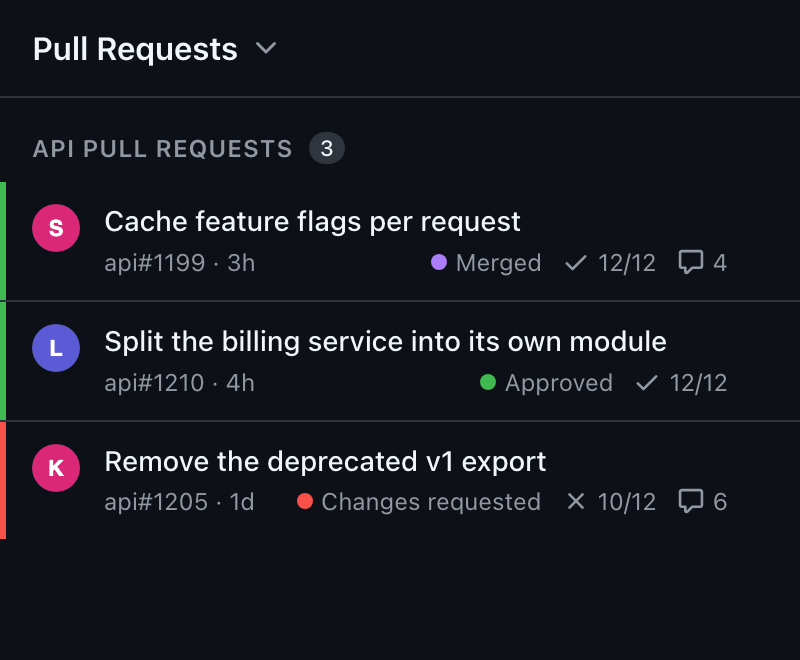
Any GitHub search becomes a Live tab: one repository, a team's pull requests, a label. Each row shows whether it is merged, approved or needs changes. Your Live tabs follow you to your other browsers through browser sync.
GitHub has no read-only permission for private repositories in OAuth Apps; therepo scope is the only one that reaches them across all your organisations. Live Tabs only reads with it: it never writes, comments or merges.
Only to GitHub. There is no Live Tabs server, no analytics and no tracking. Your token stays in your browser. Details are in the privacy policy.
Organisations that restrict OAuth Apps approve Live Tabs once. Ask an organisation owner to approve it, or request access from GitHub's settings.